

Album design software for wedding photographers
The album, designed as carefully as the day was shot.
Import your selects, build a first draft in seconds, refine every spread, proof it with your couple and export for the lab. On your own computer, with your files where you keep them.
The video could not be played here. This is a still from it.
Selects to first draft
Let the first draft happen while you make coffee.
Auto Build reads every photograph and designs the whole album in the style you pick. You then refine it spread by spread.
- Classic, Modern, Magazine and Fine Art styles
- Pick the album length, or let it suggest one
- Leaves out blurry, closed-eye and repeat shots if you ask it to
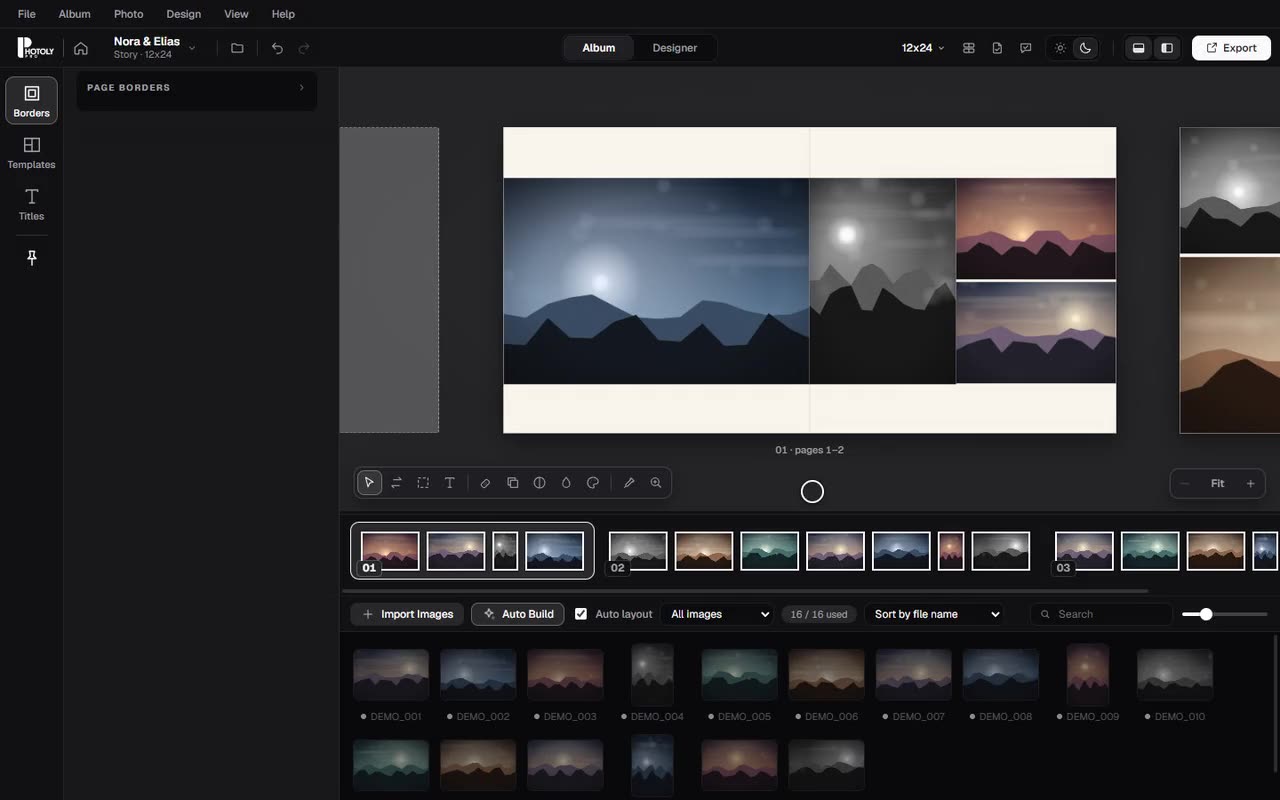
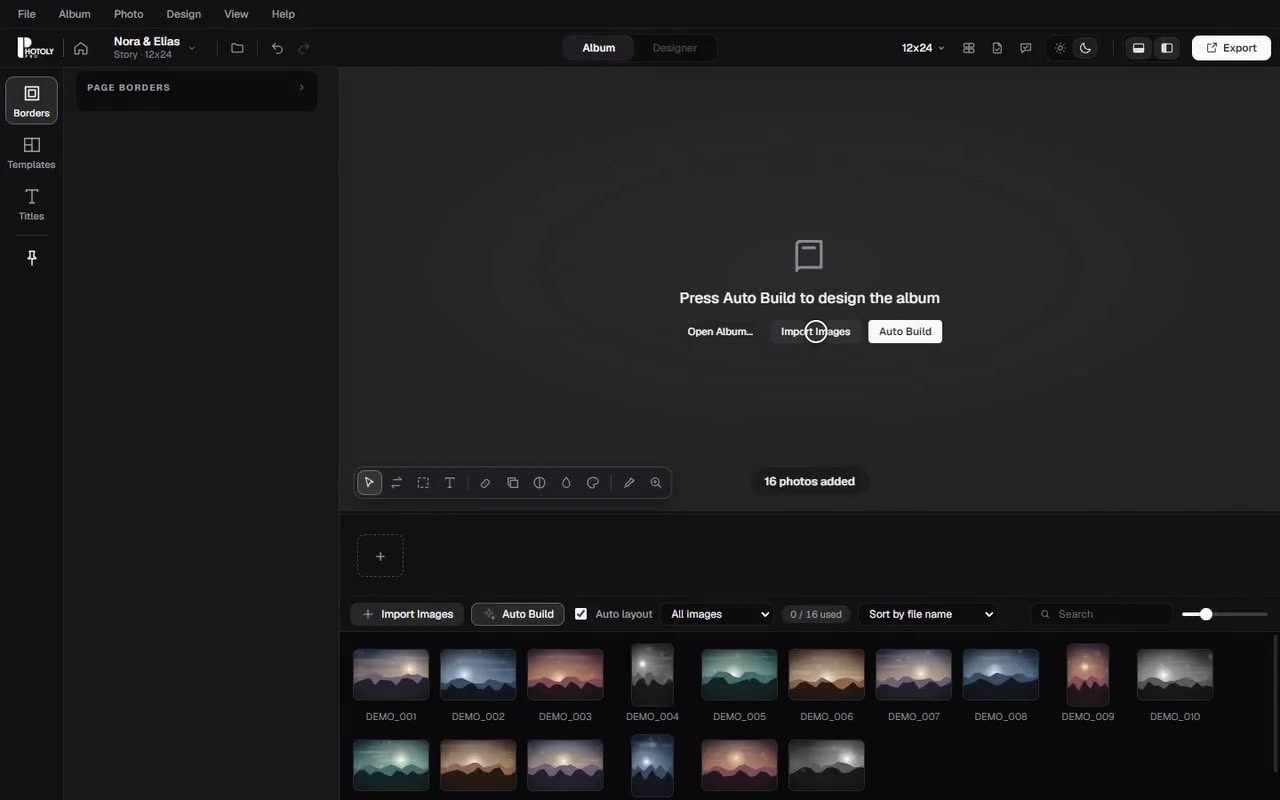
Drag the slider: the same album before and after Auto Build.
See it work
Seven short recordings of the real application.
Nothing is mocked up. Each clip is the app running on a synthetic demo project.
Every album, one calm screen.
Your recent albums with a preview of the first spread, size and spread count. Search by name, sort, and switch between grid and list.
- Search and sort recent albums
- Albums whose files moved are flagged, not hidden
- Open or create an album from the same place
The video could not be played here. This is a still from it.
Start with the album, not the settings.
Name the couple, choose a story or magazine album and its size, then set paper, margins, gaps, bleed and print resolution with a library of page templates.
- Story and magazine album types
- Standard sizes or your own custom size
- Paper, margin, gap, bleed and DPI up front
The video could not be played here. This is a still from it.
From a folder of selects to a first draft.
Import your photographs and Auto Build reads them, then lays out the whole album in the style you choose. Review it, then refine.
- Classic, Modern, Magazine and Fine Art styles
- Choose album length, or let it suggest one
- Smart rules for blurry, closed-eye and repeat shots
The video could not be played here. This is a still from it.
Exact control where you want it.
Move along the spread timeline, try another smart layout with a keypress, and drag photographs from the tray onto any cell.
- Spread timeline with drag and drop
- Another smart layout on any spread
- Manual placement from the image tray
The video could not be played here. This is a still from it.
A library of page designs.
Click a layout to apply it to the spread you are on. Filter by photo count, ask for new ideas, and keep your own templates.
- Layouts matched to the number of photos
- Show new ideas for the same photos
- Save and reuse your own templates
The video could not be played here. This is a still from it.
Sealed proof versions.
Make V1, V2, V3. Each proof is a snapshot saved beside the album, never inside it. Open it as your couple would see it and keep their comments with the version they were written for.
- Proofs never change the album file
- Comments and decisions are tied to a version
- Online sharing is a separate, not yet public service
The video could not be played here. This is a still from it.
Out to the lab, or to the couple.
Export print-ready JPG spreads, layered PSD files or a client proof. Choose all spreads or one, quality, resolution and bleed.
- JPG with quality presets
- Layered PSD for finishing
- Client proof for review
The video could not be played here. This is a still from it.
Screenshots
Inside the application.
Select a screenshot to enlarge it. Taken from the application with a synthetic demo project.
For photographers
Your photographs are the point.



Synthetic landscapes drawn for these demonstrations. No customer or third-party photographs are used.
Client proofing
Proof with your couple, version by version.
A proof is a sealed snapshot of the album. Their comments and approval belong to the exact version they saw, so a later change never rewrites what was approved.
- V1, V2, V3 proofs kept beside the album, never inside it
- Spread navigation, zoom and per-spread comments in the viewer
- Approve and request-changes decisions with a confirmation step
- Secure online sharing is built separately and is not publicly available yet
The video could not be played here. This is a still from it.
Windows, macOS and your account
One account. Your computer. Your albums.
Windows and macOS
PhotolyPro Albums is built for both. Installers are published to signed-in customers when a release is ready; the Download page shows what is available.
One account
Your website account is the one the desktop app uses: subscription, expiry date and activated computers in one place.
Pay by bank transfer
Launch payments are manual. You pay by bank transfer, we verify it, and your subscription appears on your account. No card is taken.
Questions
Which computers does it run on?
Windows and macOS. The Download page shows which installers are available.
Where are my albums stored?
On your computer, as files you choose. Proofs are saved in a folder beside the album and never replace it.
How do I pay?
By bank transfer or cash arranged with support. Online card payments are not available. The Pricing page explains the steps.
Can my client approve an album online?
The proofing viewer is built, but secure online sharing is a separate service that is not publicly available yet. Today proofs are prepared and reviewed in the app.
Is it the same account as the app?
Yes. One account for the website and the desktop app.
Start with your first album.
Download the app when a release is available, or create your account first.